
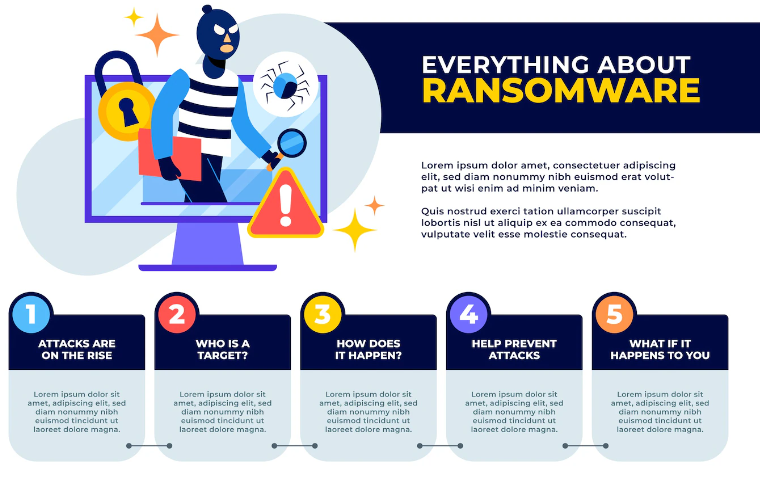
Ransomware is a growing threat to businesses of all sizes. This type of malware locks down your computer encrypts its data and then demands payment for the key that will unlock it. But if you’ve been hit with ransomware, what should you do? Check it out here, to get protective measures against cyber ransomware.
Ransomware is one of the most popular cyber threats, but it's also preventable. This guide will walk you through some of the best ways to protect yourself from ransomware and keep your computer safe from hackers.
Use the latest version of your operating system.
The most important thing you can do to protect yourself from ransomware is to keep your OS updated.
Updates are a critical part of keeping your computer secure and backed up, so it’s a good idea to install them as soon as they become available. When updates are released, they fix bugs that could leave you vulnerable to attack by hackers and malware, so using the latest version of your OS will help ensure that your computer isn’t hacked into in the first place. Updates are also free, so there’s no reason not to install them when they come out!
Update your applications.
One of the best things you can do to protect yourself from ransomware is to make sure that your applications are up-to-date. Updates are important for security and stability, so it's worth setting alarms on your phone or computer to remind you when updates are available. Many apps now also update themselves automatically, but if yours doesn't have this feature, check in occasionally with the app store and make sure they're up to date.
Use a reputable antivirus program.
- Use a reputable antivirus program. The best way to protect yourself from ransomware is to use an up-to-date antivirus program that has a good track record of protecting against malware, including ransomware. For computers, this means avoiding the built-in security software and installing something like Avast or McAfee (but be sure to choose one that has a good reputation). For mobile phones, this means avoiding the preinstalled security software and downloading something like Lookout or AVG Antivirus.
Keep your computer patched.
The first thing you can do to protect yourself from ransomware is to keep your computer patched. This means updating your operating system, any apps you use, and even the firmware of your router. Don’t forget phones, printers, smart TVs—anything that connects to the internet that you own should be updated regularly to ensure it has the latest security patches installed.
Back up regularly.
Backing up your data is a must if you want to protect yourself from ransomware. This means that you should be backing up your files regularly, whether it’s manually or through an automatic backup service like Carbonite or Backblaze.
Backups don’t prevent you from getting hit by ransomware attacks, but they can help when that happens: if bacteria infects one of your computers and encrypts your files, then restoring them from a backup copy will get rid of that infection and restore the data without any problems. That way, even if the malware has encrypted all of your current and recent backups (which it might have done), they won't be affected because they're not located on that system anymore!
Be careful how you open unfamiliar emails and attachments.
You should also be careful about opening emails from people you do know, but with whom you haven't been in contact for a while. In this case, it's possible that the sender of the email was hacked and their account was used to send out malicious emails. If you're not sure whether or not to open an attachment, ask yourself if this person would normally send you something like that. If they don't normally send such things (like a new contract), then chances are good that something fishy is going on!
A great way to avoid ransomware is by following these steps:
- Don't open emails from people who aren't friends or family members (or if so, only after verifying with them via phone call).
- Don't open attachments unless absolutely necessary (for example if there's a file name and extension that makes sense—such as "contract").
Ransomware is preventable if you're disciplined about your computer maintenance.
There are a number of ways you can protect yourself from ransomware. The best way to do this is by maintaining a disciplined approach to the security of your computer, in all its forms. Here are some basic steps that will reduce the likelihood of becoming infected:
- Make sure you're using the latest version of your operating system and all installed applications.
- Update your software regularly—at least once every week—and update all Windows patches as soon as they become available.
- Use a reputable antivirus program (AV). Some AV programs have been known to be less effective than others at combating ransomware, but some experts recommend Malwarebytes Premium and Kaspersky Anti-Virus 2019 (or 2020), depending on which year it was released in during testing. It's important to note that not every AV will catch everything; if you're concerned about an infection finding its way into your system despite these precautions, consider installing additional security programs such as Avast Free Antivirus or AVG AntiVirus Free Edition on top of whichever one(s) may already be active on your machine(s).
Conclusion
We hope we’ve helped you understand the value of taking the time to make sure your computer is safe, and how easy it can be to protect yourself from ransomware. In all honesty, most of these steps are things that you should be doing anyway! If you’re diligent about keeping your computer updated and patched, using reliable antivirus software and backing up regularly—and if you avoid clicking on suspicious links in emails or downloading files from unfamiliar websites—you can drastically reduce your risk of falling victim to this dangerous cyberattack.